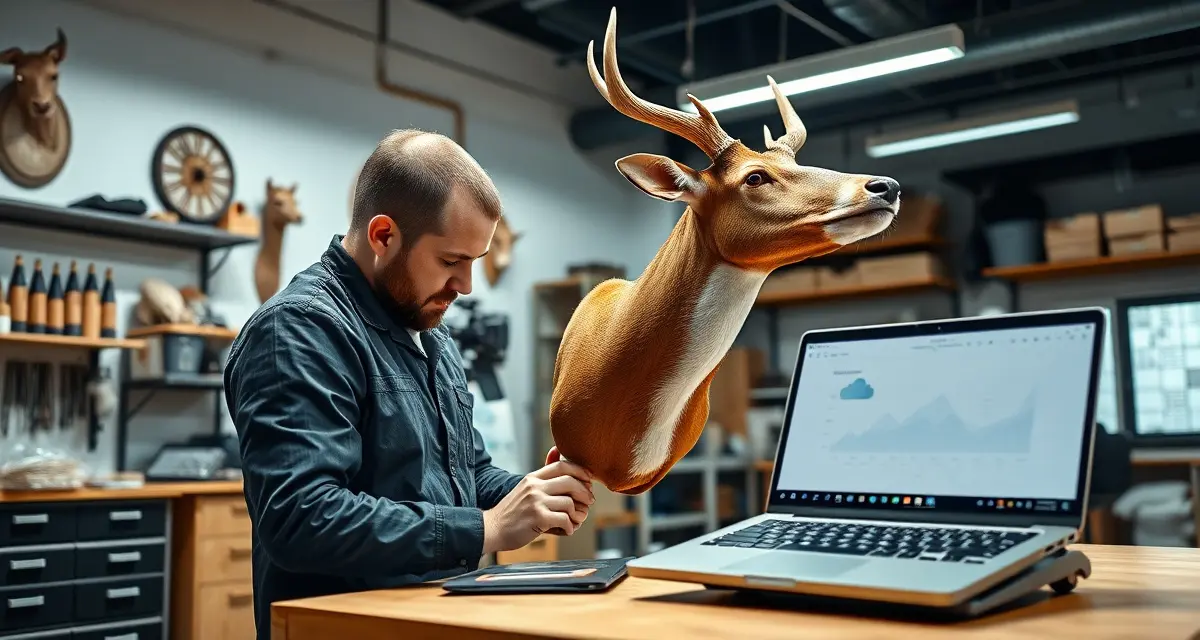
Online Taxidermy Shop Management: Cloud Tools for Modern Operations
Cloud access means the shop is always accessible even when the taxidermist is in the field. Desktop-only software like Trophy Mount System can't do any of this. Cloud-based taxidermy management changes the fundamental assumption that you have to be at your desk to run your shop, and for taxidermists who hunt, travel for expos, or manage work from the field, that change is transformative.
This guide covers what cloud-based taxidermy management makes possible, how to choose cloud tools, and how to set up an online-first operation.
TL;DR
- Cloud-based shop management means your records are accessible even when you are in the field or away from the shop.
- Desktop-only software provides none of the mobile access, automatic backups, or remote availability modern shops need.
- Google Drive or Dropbox handles any documents you need to share or access remotely between intake, production, and delivery.
- Online shop management eliminates the risk of losing paper records to fire, water, or illegibility.
- Mobile intake at a hunting show, sporting goods store, or offsite drop-off location is only possible with cloud-based tools.
- Setup for a cloud-based taxidermy management platform takes hours, not the days required by legacy desktop systems.
What "Cloud-Based" Means for a Taxidermy Shop
Cloud-based software stores your data on remote servers accessible via the internet, rather than on a local computer at your shop. The practical implications:
Access from any device: Your phone, tablet, a borrowed computer at a show, or a home computer all access the same up-to-date data. There's no "work computer" that has the information.
No local installation: You don't install software on a specific machine. You log in through a browser. If your computer breaks, you log in from another computer and everything is there.
Automatic updates: Software updates happen automatically on the server side. You always have the current version without doing anything.
No data loss from hardware failure: Your data lives on a server with professional backup infrastructure. A hard drive crash at your shop doesn't destroy your customer database.
Multi-device access during high-volume periods: During peak intake, you could have an assistant processing intakes on a tablet at the front counter while you review the production queue on your phone in the back.
Mobile Intake from the Field
Taxidermists who work sporting goods expos, hunting and fishing shows, or who maintain a presence at hunting clubs can now run intake from those locations.
The traditional workflow: a hunter at a show expresses interest, takes your business card, and calls later. Many don't follow through. The lead disappears.
The cloud workflow: a hunter at a show expresses interest, you pull up MountChief on your phone or tablet, take a photo of their ID, enter the mount type and deposit, and complete the intake on the spot. The customer gets a confirmation text before you move to the next conversation. They're in your system.
Some taxidermists now run formal intake events at hunting shows during peak season. Hunters drop capes at the show. The taxidermist processes intake digitally on-site. The show becomes an intake station.
Managing the Shop While Hunting
Taxidermists who hunt, and most do, face an annual conflict: deer season is simultaneously the most important hunting season and the highest-volume business period.
With cloud-based management, you can:
- Check job status and respond to customer portal messages from the field
- Update job stages to trigger automated customer notifications without returning to the shop
- Receive tannery return alerts and act on them remotely
- Review the production queue and adjust priorities before returning
You can't do production work remotely. But you can manage the administrative and communication layer of your shop from wherever you have a cell signal. That's not nothing, the administrative burden during deer season is significant.
Customer-Facing Cloud Tools
The cloud infrastructure behind MountChief powers the customer portal, but the portal itself is the customer's experience.
A customer checking their mount's status is accessing a cloud-hosted page that reflects the current state of their job record in real time. When you update a stage in MountChief, the portal updates immediately. There's no sync delay, no manual update to a separate system.
The no-app browser portal is the right choice for taxidermy customers because it removes the download barrier. Customers visit a URL and see their status. That's the entire experience. It works on any phone, any browser, any connection.
Setting Up a Cloud-First Shop
If you're transitioning from desktop software or paper, here's how to establish a cloud-first workflow:
Step 1: Cloud management software. MountChief is the complete option. It handles intake, job tracking, tannery management, customer communication, invoicing, and the customer portal from a single cloud-based platform.
Step 2: Cloud file storage. Use Google Drive or Dropbox for any documents you need to share or access remotely: intake photos, compliance documents, customer files. Anything that was in a file cabinet should eventually have a cloud location.
Step 3: Cloud communication tools. Email through Gmail or a business email provider. Text notifications through MountChief or a separate SMS platform. Both are cloud-based and accessible from any device.
Step 4: Cloud accounting (optional). QuickBooks Online or Wave for business accounting if you want that function cloud-accessible as well.
Step 5: Reliable internet at the shop. Cloud tools require internet. A dedicated business internet connection (not residential, not a mobile hotspot as primary) is important for a cloud-first operation. Mobile data as backup when the internet goes down.
What Cloud Tools Don't Replace
Cloud-based management handles the administrative and communication layer of your operation. It doesn't change:
- Physical production work (still requires hands at the bench)
- In-person intake interactions (cloud tools support them, not replace them)
- Physical specimen storage and organization
- Tannery relationships and physical shipment logistics
The cloud gives you visibility into and control over the non-physical parts of your operation from anywhere. The physical parts still require you to be present.
Choosing Cloud Tools: What to Look For
When evaluating cloud-based taxidermy software:
Mobile-optimized interface: Does it work on your phone without constantly zooming in on desktop-designed layouts? Test it on mobile before committing.
Offline capability (nice to have): Can you enter a basic intake record if your internet connection drops, with sync when connectivity returns? Important for shops in areas with intermittent connections.
Data export: Can you export your customer database and job records in a standard format (CSV, Excel)? Your data should always be yours, accessible without the software.
Security: HTTPS, encrypted storage, access controls. Don't use taxidermy software that can't confirm basic security practices.
Support: Who do you call when something doesn't work? US-based support that understands taxidermy operations is more useful than a generic help desk.
MountChief's mobile job tracking covers the mobile workflow in detail. The full software overview covers all platform features.
Frequently Asked Questions
What are the benefits of cloud-based taxidermy management?
Cloud-based management gives you access to your shop's data from any device with internet, your phone in the field, a tablet at a show, a home computer after hours. Your customer database, job records, production status, and communication history are always current and accessible wherever you are. If your shop computer fails, nothing is lost, the data lives on the server. Automatic software updates mean you always have current features without managing installations. For taxidermists who hunt, travel to shows, or manage work outside their shop, cloud access changes what's operationally possible. The production work still requires you to be physically present, but the administrative and communication layer of the business can be managed from anywhere.
Can I manage my taxidermy shop from my phone in the field?
Yes, with cloud-based management software. From your phone during deer season, you can check job status and production queue, update job stages to trigger automated customer notifications, review tannery shipment status and receive return alerts, respond to customer inquiries linked through the portal, and access your customer database. You can't do production work remotely, but the administrative burden of peak season, communication, tracking, invoicing, tannery management, can be managed from the field with a data connection. Many taxidermists use this capability to stay on top of their shop's status during hunting trips, reducing the anxiety of being away during the busiest period.
How does cloud software change what is possible for a taxidermist?
Cloud software changes two things: where you can work and what you can automate. Location flexibility means intake at shows, management from the field, and access from home. Automation means customer notifications triggered by stage updates, invoice generation at completion, portal updates that happen without manual action, and tannery return reminders that fire automatically when expected dates pass. Desktop software can automate some of these within the shop, but it can't do any of them from a phone in the field. The combination of anywhere access and automation creates an operational capability that isn't possible with desktop or paper systems, not just a better version of the old way, but genuinely new capabilities.
How does this apply to solo taxidermy shops?
The principles in this guide apply to solo shops just as they do to larger operations, though the scale differs. A single-person shop may have lower absolute volume but faces the same documentation, compliance, and customer communication requirements. The practical advice here scales down to any shop size.
What is the most common mistake taxidermists make with taxidermy shop management online guide?
The most common mistake is treating taxidermy shop management online guide as an afterthought rather than building it into the standard workflow from the start. Shops that encounter problems in this area typically did not establish clear processes before season, which means every situation becomes a one-off decision rather than a standard response.
Related Articles
- The Taxidermy Shop Management Industry Guide: Everything in One Place
- The Ultimate Taxidermy Shop Operations Playbook
Try These Free Tools
Put these insights into practice with our free calculators and planners:
Sources
- National Taxidermists Association (NTA)
- US Fish & Wildlife Service
- Small Business Administration (SBA)
Get Started with MountChief
Taxidermy shops that track specimens, manage customer communication, and handle compliance in one system spend less time on admin and more time on quality work. That is what MountChief was built for.