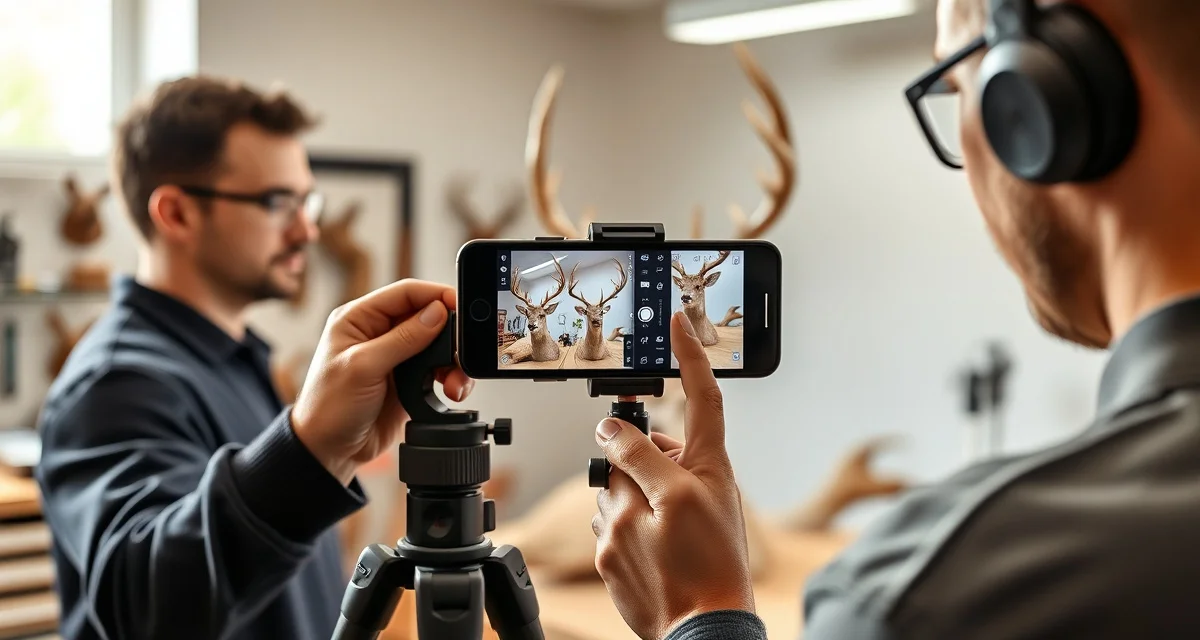
How to Photograph Specimens for AI Taxidermy Intake
During deer season, intake is the bottleneck that kills your day. You've got hunters lined up, the phone ringing, and you're trying to document every cape with enough detail to actually be useful six months from now when the customer calls wondering where their mount is.
Paper intake forms take 15-20 minutes per animal when you do them right. Most shops cut corners because they have to, and then they pay for it later with mix-ups, missing information, and compliance gaps.
AI photo intake changes the math. MountChief's intake system reads a properly taken photo and auto-fills the critical job fields in under 3 minutes. But "properly taken" matters. A blurry or poorly composed photo gives the AI incomplete data to work with, and you end up re-entering fields manually anyway.
Here's exactly how to photograph specimens so the AI intake works the way it's supposed to.
TL;DR
- When you process 200+ capes over six weeks of deer season, consistency in your intake photos is what keeps the AI working accurately.
- MountChief's intake system reads a properly taken photo and auto-fills the critical job fields in under 3 minutes.
- Paper intake forms take 15-20 minutes per animal when you do them right.
- During deer season, intake is the bottleneck that kills your day.
- Most shops cut corners because they have to, and then they pay for it later with mix-ups, missing information, and compliance gaps.
- When you're doing 30-40 intakes on a November Saturday, consistency breaks down.
What You Need Before You Start
You don't need professional camera equipment. A recent smartphone in decent light works fine. What you do need:
- Clean hands or disposable gloves (blood on the lens blurs everything)
- Consistent background, a concrete floor, a workbench, a dedicated intake board
- Natural light if possible, or bright overhead shop lighting
- The harvest tag and license accessible before you start shooting
Get in the habit of setting up a small intake station, even just a designated corner of your shop with good light and a clean surface. When you process 200+ capes over six weeks of deer season, consistency in your intake photos is what keeps the AI working accurately.
Step 1: Photograph the Harvest Tag and License First
Before you touch the specimen, photograph the documentation.
Lay the tag flat on a light surface. Hold the phone directly over it, not at an angle. The tag should fill most of the frame. Take the photo in good light so all the text is readable.
If the hunter has a license on their phone, photograph the screen. If it's a paper license, photograph it the same way as the tag, flat, square to the camera, well lit.
Why this comes first: The AI reads the tag to extract species, sex, harvest date, and location. If the tag photo is blurry or cropped, those fields don't auto-fill. You end up typing them in. Thirty seconds of care here saves two minutes later.
Step 2: Overall Specimen Photo
Now photograph the whole specimen. For a whitetail cape:
- Lay it out flat if possible, or hang it if it's a full cape still attached to the head
- Shoot from directly above or straight on, avoid angles that distort the size
- Include both sides if there's a question about which side is which
- Make sure antlers, if present, are visible and in frame
- Include a reference object, a ruler, a tape measure, your hand, if size matters for the species
For whole birds like turkey or duck: spread the fan and wings for a full display photo before folding anything up. The AI reads feather patterns and coloration to help with species identification.
For fish: lay flat on a clean surface, dorsal fin side up, full length in frame.
For skulls or European mounts: photograph from the front, top, and side.
Step 3: Antler or Trophy Feature Close-Ups
If the customer is going to want scoring data or if you need it for insurance or compliance purposes, photograph antlers separately:
- Beam spread from the front
- Tine length from the side
- Any abnormal points or kickers, hunters care about these
This takes 90 seconds and saves you from having to re-photograph when the customer asks for measurements later. It also documents the trophy's condition at intake, which protects you if there's a dispute later.
Step 4: Damage, Condition Issues, and Field Notes
This is the photo most shops skip, and it's the one that prevents the most arguments.
If there's a bullet or arrow entry wound that will affect the mount, photograph it. If there's hide damage, a cut ear, a torn nostril, photograph it. If the cape was improperly cared for and there's slippage starting, photograph it.
These photos go into MountChief's condition documentation section. When the customer picks up and says "that ear wasn't like that when I dropped it off," you have a timestamped photo from intake that shows exactly what condition the specimen was in.
After the photos, record voice notes for anything the camera can't capture: smell (early slippage you can't see yet), temperature when delivered, how long it was in the field, any customer requests about positioning or habitat.
Step 5: Final QR Tag Photo
Once the QR tag is attached to the specimen, photograph the tag in place. This confirms the specimen was tagged immediately at intake and gives you a timestamp.
If you're shipping to a tannery, photograph the QR tag on the packaged specimen before it goes in the box. That photo serves as your shipment confirmation, proof the specimen was properly labeled when it left your shop.
Getting Consistent Results: Tips for High-Volume Days
When you're doing 30-40 intakes on a November Saturday, consistency breaks down. Here's how to keep it together:
Pre-set your phone's camera. Turn off HDR and portrait mode, they distort detail. Use standard photo mode. If your phone has a grid overlay, turn it on so you can keep shots level.
One phone, one person for intake photos. Don't hand the phone around. Assign someone to intake documentation and keep them there. Changing photographers during a busy day means inconsistent angles and lost shots.
Check each photo immediately. Before moving to the next step, confirm the tag photo is readable and the specimen photo is in focus. Takes three seconds. Saves a re-shoot later.
Batch your uploads. If your shop is in a spotty service area, MountChief queues photos for upload when you're back on wifi. Don't wait until end of day to connect, if you lose the day's queue, you've lost a lot of intake work.
What the AI Does With Your Photos
Once you upload to MountChief, the AI reads:
- Species and subspecies (whitetail vs. mule deer, mallard vs. pintail)
- Sex and approximate age class
- Harvest tag text, license number, kill date, zone, tag number
- Trophy features, antler points, beam width, fin size for fish
- Visible condition issues
It populates the intake form fields, flags any fields it couldn't read with confidence, and creates the initial job record. You review, confirm the auto-filled fields, add any notes, and print or assign the QR tag.
From photo to tagged specimen: under 3 minutes on a clean intake with good photos. That's versus 15-20 minutes with a paper form during peak season.
Common Mistakes
Photographing through the plastic bag. Pull the specimen out. Plastic distorts everything and the AI can't read the tag through it.
Photographing with a phone flashlight. Harsh direct flash washes out detail and creates glare. Use ambient light.
Skipping the damage photos. I know you're in a hurry. Do them anyway. The conversation you avoid with one photo is worth five minutes.
Not photographing the tag separately. If the tag is in the overall specimen photo but small, the AI may not read it. Give the tag its own frame.
Related Articles
- How to Photograph Fish for AI Taxidermy Intake and Reference
- What Are the Benefits of Digital Taxidermy Intake?
- What Should Be on a Taxidermy Intake Form?
- How Long Should Taxidermy Intake Take?
FAQ
Do I need a special camera for AI taxidermy intake photos?
No. Any smartphone from the past four years has enough resolution for MountChief's AI intake to work. The more important factors are lighting, steady hands, and shooting square to the subject rather than at an angle. A cheap phone with good technique beats an expensive one used carelessly.
What if the harvest tag is damaged or unreadable?
Photograph whatever is legible, then manually enter what you can from the tag. Flag the job in MountChief with a note that documentation was incomplete. Have the customer provide a copy of their license or a written statement about harvest details. In states where harvest documentation is legally required, incomplete records put you at risk, get it resolved before you start work.
How many photos should I take per specimen at intake?
At minimum: tag photo, full specimen photo, and any damage or condition documentation. For trophy quality specimens, add antler or feature close-ups. For species with compliance requirements (waterfowl, exotics), photograph all associated permits and licenses. For a typical whitetail cape, four to six photos covers everything you need.
How does this apply to solo taxidermy shops?
The principles in this guide apply to solo shops just as they do to larger operations, though the scale differs. A single-person shop may have lower absolute volume but faces the same documentation, compliance, and customer communication requirements. The practical advice here scales down to any shop size.
What is the most common mistake taxidermists make with how to photograph specimens intake?
The most common mistake is treating how to photograph specimens intake as an afterthought rather than building it into the standard workflow from the start. Shops that encounter problems in this area typically did not establish clear processes before season, which means every situation becomes a one-off decision rather than a standard response.
Try These Free Tools
Put these insights into practice with our free calculators and planners:
Sources
- National Taxidermists Association (NTA)
- US Fish & Wildlife Service
Get Started with MountChief
The results in this article are achievable in any shop that applies the same operational approach. MountChief provides the intake speed, tannery tracking, and customer communication tools that make this kind of improvement possible. Try MountChief to see what better systems do for your operation.