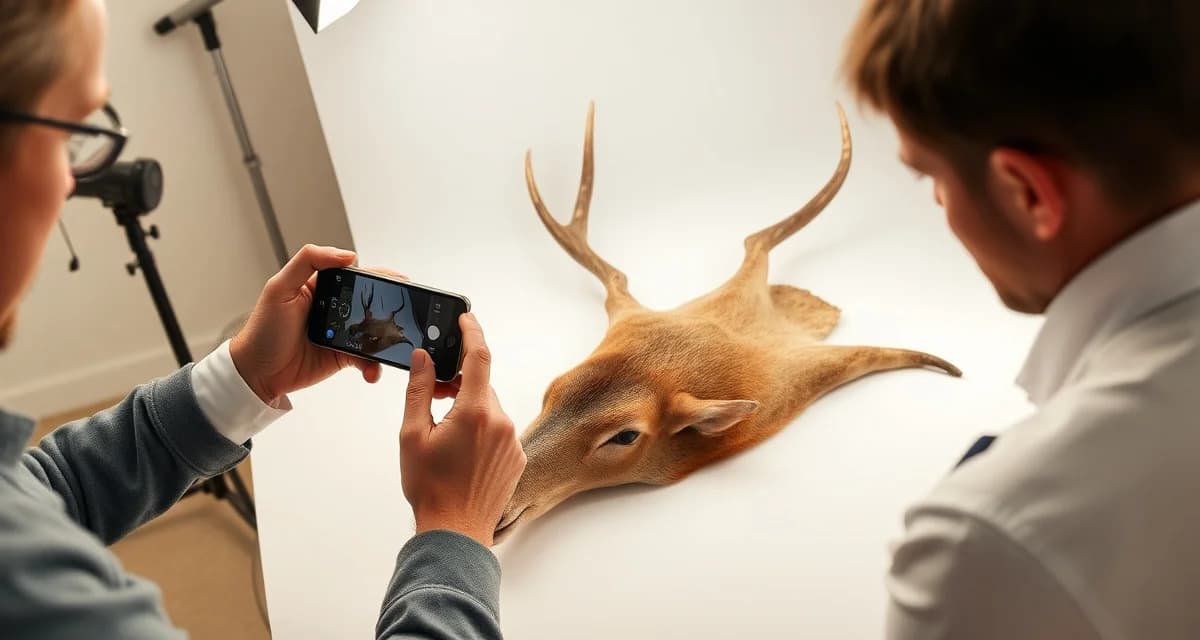
How to Photograph a Deer Cape for AI Taxidermy Intake
Your phone is the fastest intake tool you have. If you use it right. AI-powered intake can read species, assess condition, and pre-fill job records in under three minutes, but only when the photos give it something to work with. Blurry shots, bad lighting, and wrong angles create errors that slow everything down.
Here's the exact protocol to get it right every time.
TL;DR
- Fill the frame, the deer should take up at least 80% of the image.
- When the photo captures those clearly, accuracy on common species exceeds 96%.
- Angled shots of the face. A head turned 45 degrees makes species identification harder than a straight head-on. Take two seconds to orient the cape properly.
- You don't need a professional camera setup. A modern smartphone works perfectly. The key is consistency and lighting, not equipment.
- Shadows are your biggest enemy for the AI. If half the face is in deep shadow, the system can't read the full facial structure clearly. Take an extra 20 seconds to reposition rather than submit a dark shot.
- Print the shot list and tape it to the intake counter. Five shots, same sequence, same orientation every time. After a week it becomes muscle memory.
Why Photo Quality Matters at Intake
AI intake works by analyzing key visual features of the specimen. For a deer cape, that means antler configuration, facial structure, hide condition, and any visible damage or defects. When the photo captures those clearly, accuracy on common species exceeds 96%.
When it doesn't, you get misidentifications, missed condition flags, and records you have to correct later. Standardized photography removes that problem before it starts.
The Required Shots: A Step-by-Step Protocol
You don't need a professional camera setup. A modern smartphone works perfectly. The key is consistency and lighting, not equipment.
Shot 1: Full Face, Head-On
Position the cape or head so the camera is level with the deer's nose. You want both antlers visible and the full facial structure in frame. This is the primary identification shot.
Fill the frame, the deer should take up at least 80% of the image. Avoid zooming in too tight or leaving excessive background clutter.
Shot 2: Lateral Profile (Either Side)
A side view at eye level captures the antler beam length, tine configuration, and neck shape. This is your secondary identification confirmation and also helps flag any asymmetry the hunter might later dispute.
Take both sides if the antlers are notably different or if there's visible damage on one side.
Shot 3: Cape Spread. Hair Side Down
Lay the cape flat with the hide facing up and the hair down. Photograph straight down from above. This documents the overall hide size, any cuts, holes, bullet damage, or skinning issues that affect tannery prep and final mount quality.
This is your condition record shot. If there's a dispute later about what came in versus what came back, this photo is your proof.
Shot 4: Close-Up of Any Damage
If there's a cut across the brisket, a bullet hole through the neck, or any area of hair slippage, get a dedicated close-up. The AI will flag condition issues it detects, but a specific damage photo creates a clear record for both your notes and the customer file.
Don't skip this even if the damage seems minor. A small hole at intake can look much worse after tannery, and you want documentation that it existed from day one.
Shot 5: Tag or License Documentation
Photograph the hunter's tag or license alongside the cape before you process it. This ties the physical specimen to the legal paperwork in the digital record. MountChief links this to the job record automatically when you upload during intake.
Lighting: What Works, What Doesn't
Natural light is ideal. If you're indoors, work near a window or use overhead fluorescent lighting. Avoid direct flash aimed straight at the cape. It flattens detail and causes glare on wet hide.
Shadows are your biggest enemy for the AI. If half the face is in deep shadow, the system can't read the full facial structure clearly. Take an extra 20 seconds to reposition rather than submit a dark shot.
Outdoors in bright overcast conditions is actually the best scenario. No harsh shadows, even light across the whole specimen.
Common Mistakes That Slow Down AI Processing
Shooting from too far away. A deer cape in the corner of a cluttered truck bed doesn't give the AI enough to work with. Get close, fill the frame.
Angled shots of the face. A head turned 45 degrees makes species identification harder than a straight head-on. Take two seconds to orient the cape properly.
Wet or bloody hide. If you can, do a quick rinse before photography. Blood obscuring hide color or condition doesn't help the AI assess what you're actually working with.
Mixing multiple capes in one photo. Each cape gets its own photo set. If you're processing three deer at once, photograph them separately. The AI is mapping one specimen at a time.
How the AI Uses Your Photos
Once you upload to MountChief's AI intake system, here's what happens: the system analyzes the face and antler images for species confirmation, cross-references against North American species library data, and pre-fills the species, approximate measurements, and condition fields in the job record.
You review the pre-filled record, correct anything the system flagged for human review, and confirm. Total time: under three minutes per animal for well-photographed capes.
The system also flags anything unusual, antler configurations outside normal parameters, hide conditions suggesting late-season or post-rut stress, or any features that don't match the claimed species or harvest location.
Building the Habit Across Your Team
If you have staff or part-time help during deer season, train them on this protocol before opening day. Consistency matters more than perfect individual shots. A slightly imperfect photo taken the same way every time creates a reliable dataset.
Print the shot list and tape it to the intake counter. Five shots, same sequence, same orientation every time. After a week it becomes muscle memory.
For solo shops, the taxidermy intake form guide covers how to pair your photo protocol with your written intake workflow so nothing gets missed during the rush.
Related Articles
FAQ
What photos should I take of a deer cape at intake?
Take five shots: a head-on face shot, a lateral profile, a full cape spread from above, a close-up of any damage, and a photo of the hunting license or tag. These five shots give the AI everything it needs for accurate species identification, condition assessment, and record documentation.
What lighting is best for deer cape intake photography?
Natural light or bright overhead indoor lighting works well. Avoid direct flash straight at the specimen, it creates glare that flattens detail. Bright overcast daylight is ideal. The main thing to avoid is heavy shadow across the face or cape, which reduces AI recognition accuracy.
How does the AI use intake photos to fill in the job record?
The AI analyzes the facial structure and antler configuration for species identification, then assesses the hide spread for approximate size and condition. It pre-fills species, condition notes, and relevant measurements in the job record. You review the auto-filled fields, correct any errors, and confirm, cutting intake time from 20 minutes of manual entry down to about three minutes.
How does this apply to solo taxidermy shops?
The principles in this guide apply to solo shops just as they do to larger operations, though the scale differs. A single-person shop may have lower absolute volume but faces the same documentation, compliance, and customer communication requirements. The practical advice here scales down to any shop size.
What is the most common mistake taxidermists make with how to photograph deer cape intake?
The most common mistake is treating how to photograph deer cape intake as an afterthought rather than building it into the standard workflow from the start. Shops that encounter problems in this area typically did not establish clear processes before season, which means every situation becomes a one-off decision rather than a standard response.
Try These Free Tools
Put these insights into practice with our free calculators and planners:
Sources
- National Taxidermists Association (NTA)
- US Fish & Wildlife Service
- Breakthrough Magazine
- State wildlife agencies
Get Started with MountChief
The results in this article are achievable in any shop that applies the same operational approach. MountChief provides the intake speed, tannery tracking, and customer communication tools that make this kind of improvement possible. Try MountChief to see what better systems do for your operation.