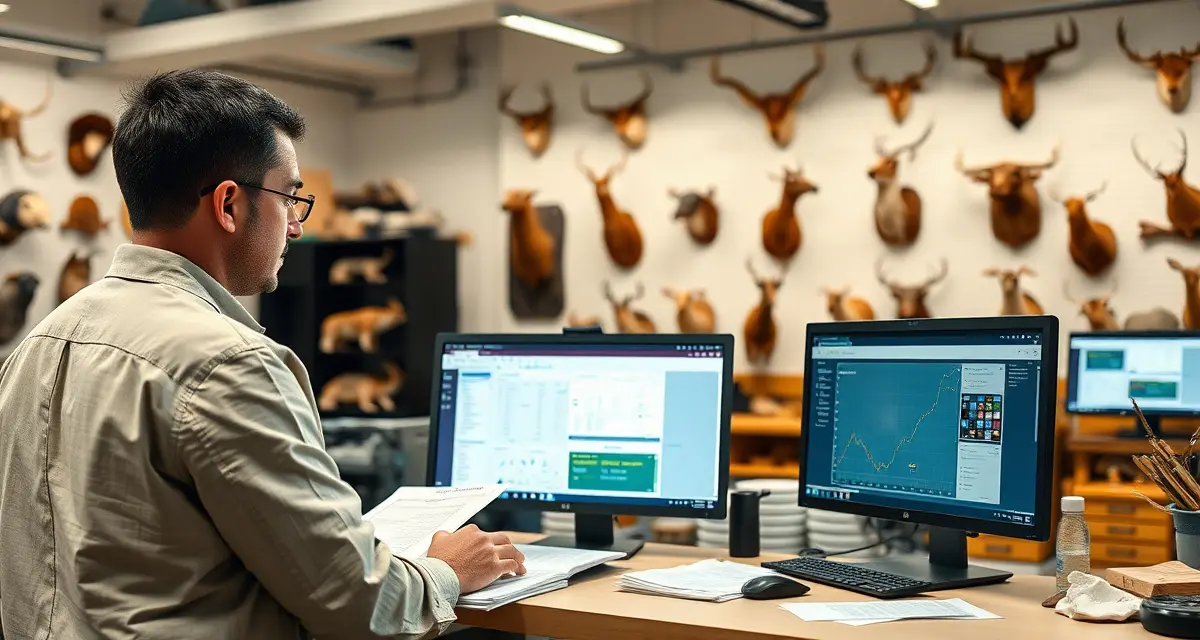
Switching from Paper to Taxidermy Software: How to Make the Move
More than 6,000 taxidermy shops in the United States still run on paper. Not because paper works better, it doesn't. Because the switch feels hard.
"I have 80 active jobs right now. How do I move all that into software mid-season?" Or: "I've been doing it this way for 15 years. What if the software doesn't fit how I work?" Or the most common one: "I'll do it next off-season." Said every year for four years running.
The biggest fear is data entry. The mental image of typing every existing job into a new system is genuinely off-putting. What if I told you that modern taxidermy software is designed to minimize that upfront burden, and that the actual onboarding takes hours, not weeks?
Here's how the transition actually works.
TL;DR
- This should take 2 to 4 hours for most shops with fewer than 50 active jobs.
- A shop with 50 active jobs should budget a single full day to complete the transition setup.
- After that, each new job entered at intake takes 4 to 5 minutes, which is faster than paper from day one.
- More than 6,000 taxidermy shops in the United States still run on paper.
- Day 3 to 4: Configure your species and mount type catalog.
- Day 5 to 7: Do your first practice intakes.
Step 1: Understand What You Actually Need to Transfer
Before you panic about data migration, get clear on what actually needs to move.
What does NOT need to be transferred:
- Historical records from completed past seasons (keep them on paper, archived, they're fine there)
- Tax records, supplier records, business financials, these stay in their current systems
- Customer addresses from years ago, you only need contacts for active customers
What DOES need to be transferred:
- Active jobs currently in progress (in production, at the tannery, or ready for pickup)
- Customers with currently active jobs
- Your basic shop settings: business name, contact info, tannery contacts
That's it. You're not building a historical database of every deer you've ever mounted. You're creating a system for current and future work.
Step 2: Time the Transition Right
The Best Window: January Through March
Off-season is ideal. You're finishing up season jobs. New intake is slow or stopped. You have time to learn the system without the pressure of a packed intake queue.
January is the sweet spot. You probably have 10 to 30 active jobs still in progress. That's a manageable number to enter as your "seed data" in the new system. Everything that comes in after you go live is native to the software from day one.
Mid-Season Transitions: Yes, They're Possible
Counter-intuitive, but mid-season transitions work for many shops, and often create an immediate payoff. If you're in November with deer pouring in and you're drowning in paper, switching to AI intake immediately helps with the new intake flow even if past jobs stay on paper.
The practical approach for mid-season:
- Go live with software for all new intakes from the transition date forward
- Keep existing active jobs on paper until they're completed or until a quiet moment to enter them
- Don't try to backfill everything at once
The MountChief transition path is designed for this. Onboarding takes hours rather than weeks. A setup that works for shops that can't take a week offline to implement a new system.
The 30-Day Transition Plan
Week 1: Setup and Configuration
Day 1 to 2: Create your account. Complete your shop profile (name, address, contact, tannery contacts).
Day 3 to 4: Configure your species and mount type catalog. Set up your pricing for each category. This takes an afternoon for most shops.
Day 5 to 7: Do your first practice intakes. Run through a few fake specimens. Get comfortable with the intake flow. Print or generate a few QR tags. Scan them. See how the job tracking works.
Week 2: Enter Active Jobs
Days 8 to 14: Enter your currently active jobs. Focus on jobs that are in production or at the tannery. The ones that will still be active when deer season opens again.
For tannery jobs: enter the customer, the job type, and set the status to "at tannery." You don't need to recreate the complete intake record for jobs that are already in process.
For in-production jobs: enter the customer, the mount type, and the current production stage.
This should take 2 to 4 hours for most shops with fewer than 50 active jobs.
Week 3: Communicate with Active Customers
If you're setting up a customer portal, reach out to customers with active jobs:
"We've updated our job tracking system: you can now see your mount's status online. Here's your portal link: [link]."
Most customers respond positively to this message. It's a service improvement they didn't know to expect.
Week 4: Go Live on All New Intake
From this point forward, every new intake goes into the system. Every customer gets a QR tag. Every job is tracked digitally.
If you're before deer season: you're fully prepared. When the first deer comes in, you're running on the new system.
If you're mid-season: your backlog is on paper, your new work is digital. By the end of the season, everything will be digital.
The Data Entry Fear: Reality Check
Most taxidermists who've made the switch report the same thing: it was much less work than they expected.
The entry for a single active job takes about 2 to 3 minutes once you're familiar with the system. For 40 active jobs, that's 80 to 120 minutes of data entry. One Sunday afternoon.
The ongoing time savings are immediate. The first week of deer season, where AI intake saves you 4 to 6 minutes per deer versus paper, starts paying back the setup investment immediately.
Common Concerns, Answered
"What if I still want paper backups?"
You can print intake records and QR tag sheets from the system. Some shops keep a physical folder with printed intake confirmations as backup. The digital system is the primary record, the paper is supplementary.
"What if I lose internet access?"
Most modern taxidermy software has offline mode capability for intake. Records sync when connectivity returns. Check this capability before you commit to a platform.
"What about my longtime customers who aren't tech-savvy?"
The portal is optional for customers, not mandatory. Customers who don't engage with it still receive their physical QR tag receipt. You can call them with updates the old-fashioned way while using the digital system on your end.
Your intake form transitions from paper to digital in the same workflow, the fields are the same, the format is digital.
Frequently Asked Questions
How do I switch my taxidermy shop from paper to software?
Start by entering only your active jobs, not historical records. Configure your shop settings and species catalog. Practice with a few fake intakes before going live. Give active customers their portal links. Then go live for all new intake. The full transition takes one to two weekends of setup time and a short learning period. The onboarding investment is small compared to the ongoing time savings.
Can I switch to taxidermy software during deer season?
Yes. The practical approach is to use software for all new intakes from the transition date forward while keeping existing active jobs on paper until they're completed. You don't need to backfill everything before going live. Modern taxidermy platforms are designed for shops that can't take a week offline for implementation. Onboarding takes hours, and the AI intake benefits are immediate for new jobs.
How long does it take to transition a taxidermy shop to digital management?
The technical setup (configuring your account, entering your species and pricing catalog, and doing practice intakes) takes 4 to 8 hours for most shops. Entering active jobs (if you have ongoing work) adds 2 to 3 minutes per job. A shop with 50 active jobs should budget a single full day to complete the transition setup. After that, each new job entered at intake takes 4 to 5 minutes, which is faster than paper from day one.
How does this apply to solo taxidermy shops?
The principles in this guide apply to solo shops just as they do to larger operations, though the scale differs. A single-person shop may have lower absolute volume but faces the same documentation, compliance, and customer communication requirements. The practical advice here scales down to any shop size.
What is the most common mistake taxidermists make with taxidermy shop transition paper to software?
The most common mistake is treating taxidermy shop transition paper to software as an afterthought rather than building it into the standard workflow from the start. Shops that encounter problems in this area typically did not establish clear processes before season, which means every situation becomes a one-off decision rather than a standard response.
Related Articles
- How Do I Get a Demo of Taxidermy Shop Software?
- High-Volume Taxidermy Shop Software: 300–500 Mounts Per Year
- The Case for Taxidermy Shop Software: Why Now Is the Right Time
Try These Free Tools
Put these insights into practice with our free calculators and planners:
Sources
- National Taxidermists Association (NTA)
- US Fish & Wildlife Service
- Taxidermy Today
- Small Business Administration (SBA)
Get Started with MountChief
The right shop management software is the foundation of a well-run taxidermy operation. MountChief combines AI intake, tannery tracking, customer portal communication, and compliance documentation in one platform built specifically for taxidermists. Try MountChief free and see the operational difference in your first week.