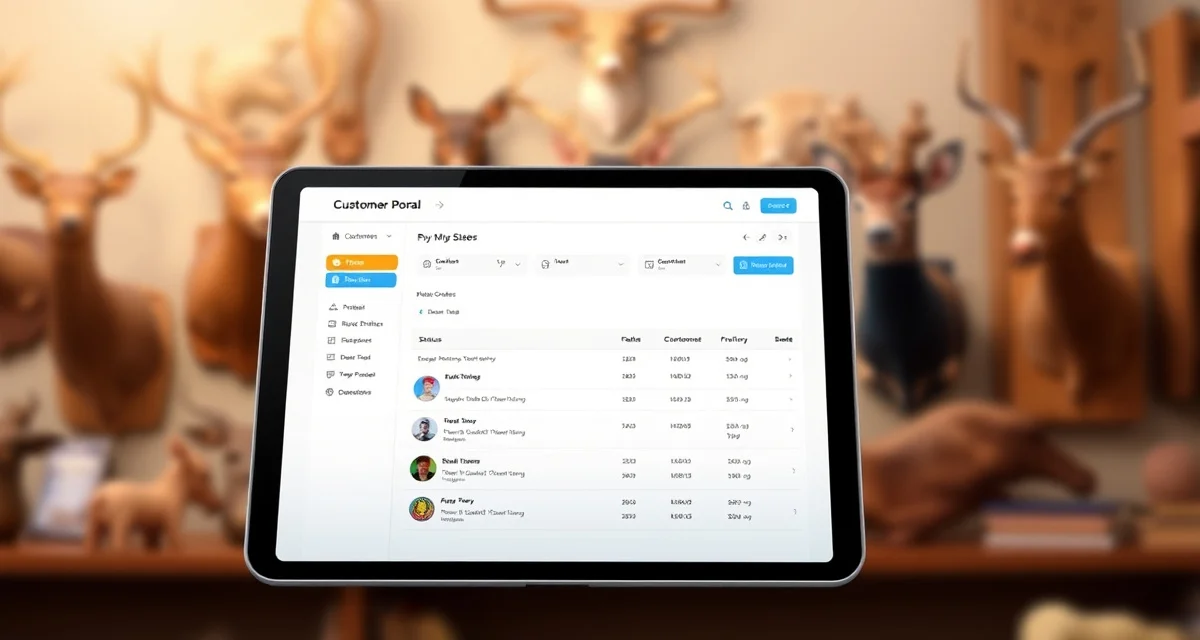
Customer Portal Questions Taxidermists Ask Before Launching
Most pre-launch concerns about portals are unfounded, first-season adoption exceeds 80% for most shops. No-app portal design eliminates the biggest customer adoption barrier for older demographics. This guide answers the 20 most common questions taxidermists ask before implementing a customer portal.
TL;DR
- Shops with customer portals typically see status call volume drop from 8-12 calls per day to under 1.
- Most pre-launch concerns about portals are unfounded, first-season adoption exceeds 80% for most shops.
- Account creation, shop profile configuration, workflow setup, and test portal activation takes 45-60 minutes.
- The customer portal is included in MountChief at $79/month. There's no separate portal fee.
- customer portal is included in MountChief at $79/month.
- math is straightforward: if your shop receives 10 status calls per day at 7 minutes each during deer season, you're spending 70 minutes per day on a task the portal can handle automatically.
Setup and Technical Questions
1. How long does setup take?
Under an hour for most shops. Account creation, shop profile configuration, workflow setup, and test portal activation takes 45-60 minutes. You can accept your first tracked intake on the same day you sign up.
2. Do I need technical skills to set up a portal?
No. MountChief's portal setup is guided by a step-by-step interface. No coding, no developer, no special hardware. A tablet or computer and a phone for testing is all you need.
3. Do I need to download software or install anything?
No. MountChief is browser-based. Access from any device via the website. Your customers access their portals the same way, through a browser link, with no download required.
4. What if my internet goes down during intake?
Most management software, including MountChief, has offline draft capability or works with the last-loaded interface. At minimum, having a backup paper intake form available during intake handles the rare outage.
5. Can I customize what customers see?
Yes. You configure your shop logo, welcome message, production stage names, and the information visible at each stage. You can add notes to specific jobs that only you see vs notes customers can see.
Customer Adoption Questions
6. Will older hunters actually use a portal?
This is the most common concern and the most overstated. No-app portals see 85-95% first-season adoption even with customer bases that skew older. The no-download requirement is the key. If customers click a link and see their status immediately, they use it. App-required portals see 30-60% adoption with the same demographics.
7. What if a customer doesn't have a smartphone?
Offer to text the portal link to a family member or provide a paper status update schedule instead. In practice, customers without smartphones are a small minority of most shops' customer base.
8. What if a customer loses their portal link?
Resend it in 10 seconds from the job record. The link goes to their phone or email on file.
9. What if a customer doesn't want a portal?
That's fine. A portal is a service you're offering, not a requirement. Some customers will prefer calling. The portal doesn't eliminate your phone, it handles the majority of callers who would have called for status, leaving the remaining calls for customers who prefer direct contact.
10. How do I get customers to actually use the portal?
Give them the link at intake via text, before they leave the parking lot. The adoption timing matters: a customer who receives the link before they've had a chance to wonder about their mount's status is far more likely to use it than one who receives it a week later when they've already formed a calling habit.
Privacy and Security Questions
11. Can customers see each other's information?
No. Each customer receives a unique URL that shows only their specific job information. There's no account login, no directory of customers, and no way to access another customer's data through your link.
12. Is the portal HTTPS-secured?
Yes. All MountChief portals are served over HTTPS, encrypting data in transit. Customer data is stored in encrypted cloud storage.
13. Does MountChief sell customer data?
No. Your customer data is your data. It's not shared with third parties or used for advertising purposes.
14. What happens to my data if MountChief closes?
Your data should always be exportable. MountChief provides data export in standard formats. Verify export capabilities before committing to any software platform.
15. Is digital storage more or less secure than paper files?
Significantly more secure for most shops. Paper records stored in unlocked filing cabinets or cardboard boxes are vulnerable to physical theft, fire, flood, and disorganization. Encrypted cloud storage is backed up in multiple locations and protected by access controls.
Business and Operations Questions
16. How will the portal affect my call volume?
Shops with customer portals typically see status call volume drop from 8-12 calls per day to under 1. That's roughly 70 minutes of production time recovered daily during deer season.
17. Will customers expect more from me because I have a portal?
Customers who have portal access have higher satisfaction rates, not higher complaint rates. Portal customers understand the process because they can see it. The anxiety that drives complaints comes from not knowing, the portal eliminates that.
18. Can the portal replace all customer communication?
No, and it shouldn't. The portal handles passive status inquiries. You still send intake confirmations, tannery update messages, and completion notifications. The portal handles the "where is my mount?" calls. You handle the relationship communication.
19. What does the portal cost?
The customer portal is included in MountChief at $79/month. There's no separate portal fee.
20. How do I know the portal is worth it before I try it?
The math is straightforward: if your shop receives 10 status calls per day at 7 minutes each during deer season, you're spending 70 minutes per day on a task the portal can handle automatically. One day of deer season call savings pays for roughly a month of MountChief. The portal's ROI is measurable and typically 10x or better in year one.
Getting Started
The customer portal setup guide walks through the complete setup process from account creation to first tracking link sent. Most shops complete setup in under an hour and have their portal live before the next intake day.
The how to build a taxidermy customer portal guide covers the design and workflow decisions involved in configuring your portal for maximum customer adoption.
Frequently Asked Questions
Is a customer portal hard to set up for a taxidermy shop?
No. MountChief's portal setup is guided and takes under an hour with no technical skills required. You configure your shop name, logo, welcome message, and production stages through a simple interface. Create a test record and send the portal link to your own phone to verify it works before using it with customers. Same-day portal activation is routine, most shops set up the portal the morning of their first deer intake day and send the first customer their tracking link before they leave.
Will my customers use a tracking portal?
No-app browser-based portals see 85-95% first-season adoption. The key is the no-download requirement. When customers receive a text link and immediately see their mount status without any friction, they use it. App-required portals see 30-60% adoption because the download step filters out a significant portion of customers. Older hunter demographics have the highest resistance to app downloads and the highest adoption rates on no-app portals. Give the link to every customer at intake via text, and most of them will use it.
What information do customers see in the portal?
Customers see their species and mount type, a visual progress indicator showing the current production stage highlighted among all stages, the estimated completion window, tannery status if the hide is currently at a tannery, and any notes you've chosen to make visible to them. They do not see other customers' information, your internal job notes, pricing for other jobs, or any information beyond their specific mount's status. The portal is designed to answer one question, "where is my mount?", and everything shown serves that purpose.
How does this apply to solo taxidermy shops?
The principles in this guide apply to solo shops just as they do to larger operations, though the scale differs. A single-person shop may have lower absolute volume but faces the same documentation, compliance, and customer communication requirements. The practical advice here scales down to any shop size.
What is the most common mistake taxidermists make with taxidermy shop customer portal questions?
The most common mistake is treating taxidermy shop customer portal questions as an afterthought rather than building it into the standard workflow from the start. Shops that encounter problems in this area typically did not establish clear processes before season, which means every situation becomes a one-off decision rather than a standard response.
Related Articles
Try These Free Tools
Put these insights into practice with our free calculators and planners:
Sources
- National Taxidermists Association (NTA)
- US Fish & Wildlife Service
- Small Business Administration (SBA)
Get Started with MountChief
Customer communication is one of the highest-leverage investments a taxidermist can make in their shop's reputation. MountChief's customer portal activates automatically at every intake and keeps hunters informed throughout the 8-14 month process without adding work to your day. Try MountChief to give your customers the transparency they want.