Managing Employees at Your Taxidermy Shop: Job Assignment and Tracking
Team shops without job assignment tracking see 30% more production errors than shops with it. The reason is exactly what you'd expect: when jobs aren't explicitly assigned, the "I thought you were handling it" errors happen. A cape comes back from the tannery and sits for three weeks because both taxidermists on your team thought the other one was going to start on it.
Clear job assignment prevents those errors before they happen. It also gives you visibility into each team member's workload, which is essential for managing capacity during peak season when everyone is busy and you need to know who has room for the next intake.
TL;DR
- Shops with formal apprentice review systems have 40% lower rework rates than shops without them.
- A team member with 40 jobs in production and a team member with 15 have different workload levels that should inform how you distribute new intakes.
- Team shops without job assignment tracking see 30% more production errors than shops with it.
- Use your shop management software to assign a primary producer to each job at intake or when it enters production.
- One taxidermist might be running 30 active jobs while another has 15.
- The biggest risk with a team shop and informal job tracking: when a team member leaves mid-season, you need to know exactly which jobs were assigned to them and what stage each is in.
Why Job Assignment Tracking Matters for Team Shops
A solo taxidermist always knows what's on their plate. The whole shop is their plate. Add one more person and suddenly you have a coordination problem.
Without explicit assignment, jobs get handled by whoever notices them. That works fine most of the time and fails at exactly the wrong times, when a rush job doesn't get started, when a high-profile customer's mount falls through the cracks, or when two people do redundant prep work on the same job.
Explicit assignment solves those problems. Every job has a name attached to it. That person is responsible for moving it through production. Nobody else does anything with it unless they're explicitly asked or unless the job is reassigned.
This isn't about micromanagement. It's about creating clarity so your team can work independently without coordination overhead.
Setting Up Job Assignment in Your Shop
The practical mechanics are straightforward:
At intake: When you create a new job record, assign it to the team member who will be the primary producer on that mount. In some shops, the same person who does intake also does production. In others, intake and production are separate roles.
At key transitions: When a cape ships to the tannery, confirm who will handle it when it returns. When it comes back, log the return and verify the assigned producer knows it's ready.
During production review: At least weekly during peak season, review the production assignment board with your team. Who has how many jobs assigned? Who has capacity for more? Who is running behind and might need help?
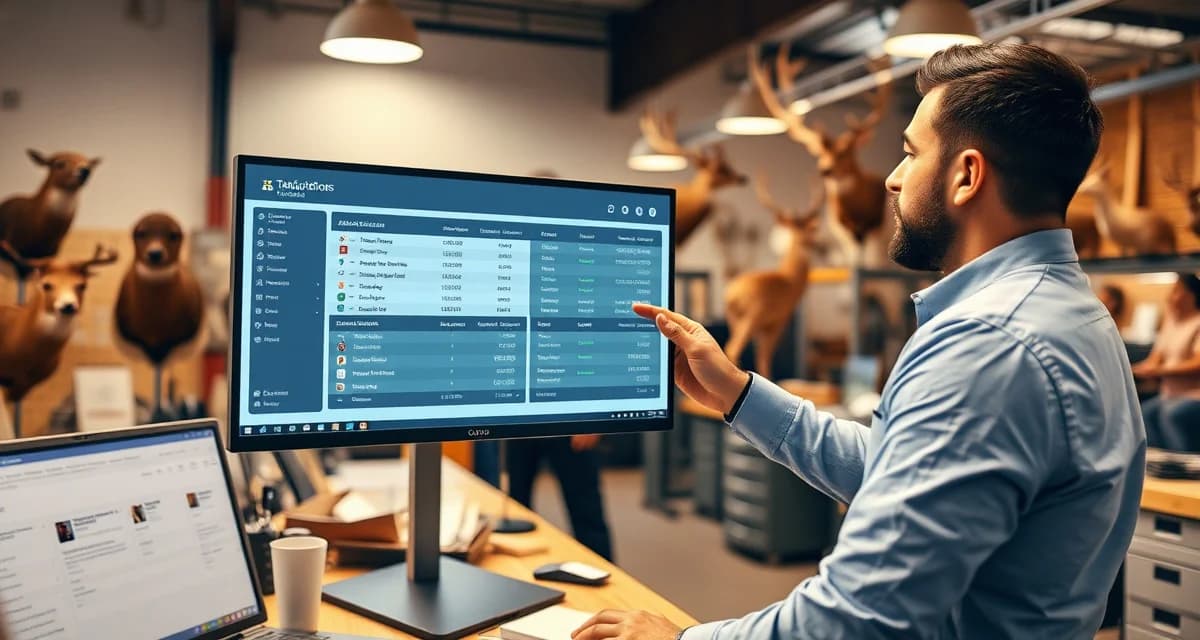
The taxidermy job tracking system handles assignment tracking digitally so you can see every team member's assigned jobs, their production stages, and any jobs flagged as overdue from a single view.
Balancing Workloads During Peak Season
Workload imbalance is a real problem in team shops during deer season. One taxidermist might be running 30 active jobs while another has 15. That creates stress on the first person and underutilizes the second.
The way to catch this before it becomes a problem is having visibility into workload distribution. Without a system showing each person's job count and production stage, you're estimating. With it, you see exactly who's loaded and who has room.
How to balance actively:
- Review job assignments weekly during October-January
- Redistribute new intakes based on current workload, not just who's at the intake counter
- Proactively move specific production stages (like form prep or finishing) to less-loaded team members if the primary producer is backed up
Not every job has to be handled entirely by one person. Dividing production steps across team members can be efficient, as long as responsibility is clearly tracked. "John is doing all the form prep this week, Sarah is handling capes coming back from tannery" is a valid division if it's communicated clearly.
Managing Apprentice Work Separately
Apprentice work needs a separate handling layer. An apprentice's production output shouldn't go directly to customer notification without a review step from an experienced taxidermist.
Set up a "quality review required" stage in your job workflow for jobs assigned to apprentices. Before a job assigned to your apprentice moves from "in production" to "ready for pickup," it passes through your review. You inspect it, make any corrections, and then approve it for the next stage.
This prevents apprentice errors from reaching customers while still giving the apprentice real production experience. Shops with formal apprentice review systems have 40% lower rework rates than shops without them.
Document which jobs your apprentice completed versus which jobs you completed. This matters for their training progression and for your own records. If a customer question arises about a specific mount later, knowing who produced it lets you address it accurately.
Communication Tools for Team Shops
In a two or three person shop, most communication is verbal. But during peak season when everyone's at the bench for long stretches, a few simple practices help:
Morning or end-of-day brief: A 5-minute check-in where each person states what they're working on today and any questions or blockers. This catches "I thought you were handling that" situations before they become problems.
Shared production queue: A physical board or digital view that everyone can see showing what's in which stage. Each person knows what's moving and what's stalled.
Job notes: When something unusual happens with a job, note it in the job record. A cape that came back from the tannery with a small thin spot. An antler that needs to be repositioned. An eye size that doesn't match the intake record. These notes prevent the next person who touches the job from being surprised.
Performance Tracking for Team Members
As your shop grows, you may want to track productivity by team member. How many mounts per week does each person complete? What's the average production time per job for each team member?
This data has multiple uses:
- Identifying who needs more support or training
- Calculating accurate capacity when planning how many jobs to take in
- Setting fair productivity expectations
Be careful how you use this data with employees. Productivity tracking works best when it's transparent and used for support, not surveillance. Share the data with your team. Talk about what it means. Use it to help them improve, not to pressure them.
When Team Members Leave
The biggest risk with a team shop and informal job tracking: when a team member leaves mid-season, you need to know exactly which jobs were assigned to them and what stage each is in.
Digital job assignment records make this transition manageable. You can immediately see every job the departing team member was responsible for, their current stage, and any notes attached. Reassign those jobs and communicate the transition to customers if timelines are affected.
Without digital assignment tracking, this transition involves piecing together information from memory, notes, and wherever the departing team member kept their records. That's a stressful situation in the middle of peak season.
Frequently Asked Questions
How do I assign taxidermy jobs to specific team members?
Use your shop management software to assign a primary producer to each job at intake or when it enters production. The assignment should be visible in the job record and in any production queue view. When the assignment changes (a reassignment, a job transferred to an apprentice for specific stages), update the record. The goal is that anyone looking at the job record can see immediately who is responsible for it.
How do I track each employee's workload during deer season?
Review your job management system's assignment view at least weekly during peak season. Filter jobs by assigned team member to see each person's queue count and stage distribution. Look specifically at the "in production" and "tannery return" stages where active work is required. A team member with 40 jobs in production and a team member with 15 have different workload levels that should inform how you distribute new intakes.
Can I see which jobs each taxidermist on my team is working on?
Yes, with any shop management platform that includes job assignment features. MountChief's taxidermy job tracking system lets you filter the production queue by assigned team member, showing each person's jobs, current stages, and any flagged items. This view gives you the workload distribution picture you need to manage capacity and catch anything that might be slipping.
How does this apply to solo taxidermy shops?
The principles in this guide apply to solo shops just as they do to larger operations, though the scale differs. A single-person shop may have lower absolute volume but faces the same documentation, compliance, and customer communication requirements. The practical advice here scales down to any shop size.
What is the most common mistake taxidermists make with taxidermy shop employee management?
The most common mistake is treating taxidermy shop employee management as an afterthought rather than building it into the standard workflow from the start. Shops that encounter problems in this area typically did not establish clear processes before season, which means every situation becomes a one-off decision rather than a standard response.
Related Articles
- 5 Ways Texas Taxidermy Shops Are Managing Deer and Exotic Season
- Mountain West Taxidermy: Managing Trophy Species and Out-of-State Hunters
Try These Free Tools
Put these insights into practice with our free calculators and planners:
Sources
- National Taxidermists Association (NTA)
- US Fish & Wildlife Service
- Small Business Administration (SBA)
Get Started with MountChief
A well-run taxidermy shop depends on knowing where every specimen stands, what paperwork is complete, and when to update the customer. MountChief tracks all of that automatically.