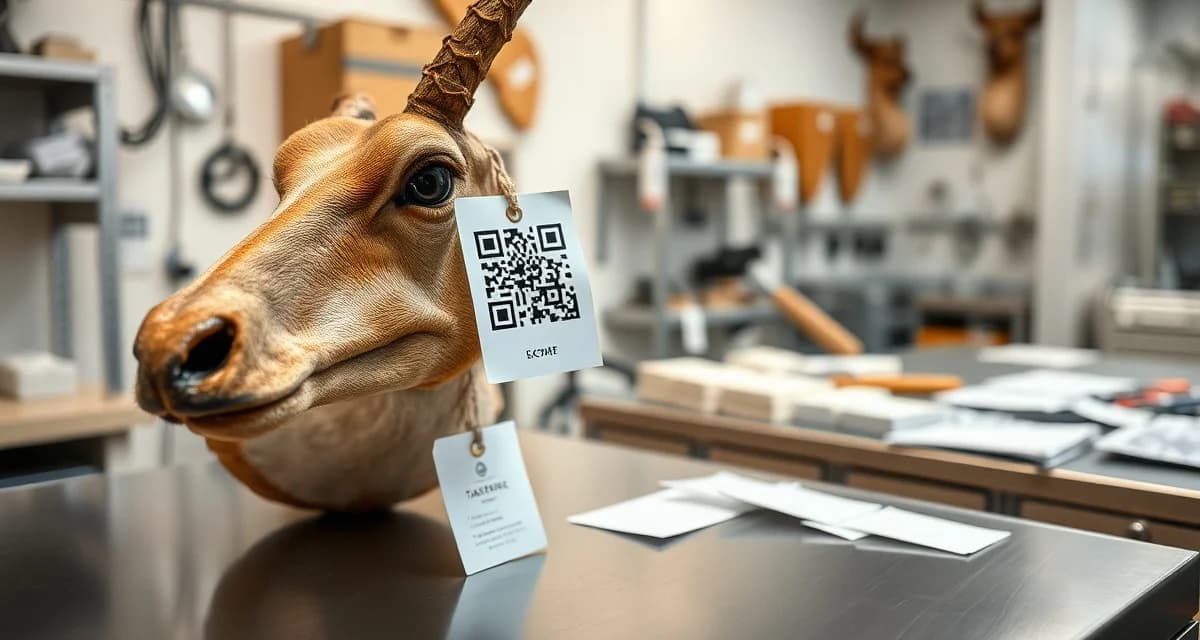
Taxidermy QR Tag System: Replace Paper Tags with Scannable Tracking
Paper tags have one fatal flaw. They don't survive tannery chemicals. You write a tag, zip-tie it to a cape, ship it to the tannery, and somewhere between the pickle bath and the oil, that tag turns into mush. Then you're on the phone trying to figure out whose cape just became unidentifiable. It happens more than anyone likes to admit.
A QR tag system fixes that at the root. Every specimen gets a durable, scannable tag on day one, and that tag links to the complete digital job record, including customer info, pose preference, tannery status, and deposit amount. Paper tag failure during tanning is responsible for roughly 60% of specimen identity losses. That number goes to near zero when you switch to QR.
TL;DR
- Standard paper tags disintegrate within 24 to 48 hours in those conditions.
- They're designed to withstand the acidic pickle baths and oil treatments used in commercial tannery processing, where standard paper tags typically fail within 24 to 48 hours.
- Paper tag failure during tanning is responsible for roughly 60% of specimen identity losses.
- single misidentified cape can cost you a customer relationship, a $600-800 replacement hide, and potentially your reputation in a small hunting community where word travels fast.
- The most common mistake shops make when switching to QR tags is waiting until after the intake form is filled out to assign a tag.
- The stakes are high. A single misidentified cape can cost you a customer relationship, a $600-800 replacement hide, and potentially your reputation in a small hunting community where word travels fast.
Why Paper Tags Fail (and When It Matters Most)
Paper tags do fine sitting on a shelf in your shop. The problem is tanneries. The tanning process involves acidic pickle baths, oils, neutralizing agents, and sometimes heat. Standard paper tags disintegrate within 24 to 48 hours in those conditions. Sharpie ink bleeds. Zip tie pull-throughs tear out. By the time a hide comes back, you're relying on the tannery's internal bagging system to tell you whose it is.
That's a lot of trust to put in a third party.
The stakes are high. A single misidentified cape can cost you a customer relationship, a $600-800 replacement hide, and potentially your reputation in a small hunting community where word travels fast.
How QR Tags Survive Tannery Chemicals
MountChief's QR tags use a polyethylene-based substrate with UV-stable ink, not paper. They're engineered specifically to survive the tanning process, including the pickle and oil stages that destroy paper within hours. The attachment method matters too: the fastening system is designed to stay secure through wet processing without tearing the hide or pulling out.
When a tannery employee scans a tag, they pull up the full job record in MountChief's tannery portal. No phone calls. No cross-referencing paper logs. The tag is the record.
What Information Links to Each QR Tag
Every tag connects to the complete job file in MountChief. That includes:
- Customer name, phone, and email
- Species and harvest details (date, location, license number)
- Pose preference and reference photos captured at intake
- Tannery destination and ship date
- Estimated completion date and current status
- Deposit paid and balance remaining
- Any special instructions noted during intake
When you scan a tag at any point in the process, you see everything. At intake, in your shop, at the tannery, when the hide comes back. The whole history is right there.
Setting Up a QR Tag System in Your Shop
Getting started with QR tags isn't complicated, but the setup matters. If you do it right, the system runs itself. If you half-implement it, you get the overhead of a new system without the benefits.
Step 1: Assign Tags at Intake, Not After
The most common mistake shops make when switching to QR tags is waiting until after the intake form is filled out to assign a tag. Do it first. Print or dispense the tag before you even start the intake conversation. That tag becomes the anchor for everything else.
In MountChief, the AI photo intake process generates a QR tag the moment you open a new job. Photograph the specimen, confirm the AI-captured details, and the tag is ready to print or display on your phone for scanning.
Step 2: Attach the Tag Before the Specimen Leaves Your Sight
Don't let a cape or hide sit without a tag attached. The tag goes on at intake, period. Use the designated attachment point on the specimen (ear base for deer capes, etc.) and verify the tag scans cleanly before moving on.
If you're handling a fish or bird, the attachment method changes but the rule doesn't. Every specimen gets tagged before it leaves your intake station.
Step 3: Scan at Every Transition Point
The value of a QR system multiplies every time you scan. Set a rule in your shop: scan when a specimen moves. Intake to freezer? Scan. Freezer to tannery shipment? Scan. Returned from tannery? Scan. Form to fleshing? Scan.
Each scan creates a timestamped status update that feeds directly into the customer portal. Your customer sees their mount moving through the process in real time, and you don't have to call anyone.
Step 4: Train Your Tannery
Most tanneries are familiar with this workflow now, especially if you're using a commercial tannery that works with multiple shops. Give them your shop's tannery portal access information and walk them through the scan process. It's a 10-minute conversation. From there, they scan incoming hides, you get automatic notifications, and the guesswork is gone.
For more on building a tannery tracking workflow, see our tannery shipment tracking guide.
QR Tags vs. Paper Tags: A Practical Comparison
You might be thinking a paper tag with a laminated sleeve does the same job. It doesn't. Here's why.
Laminated paper tags can survive some moisture, but they're not designed for sustained chemical immersion at tannery pH levels. The laminate delaminate edges let liquid wick in over time. The writing underneath bleeds. And laminated tags are bulky, hard to attach cleanly, and slow to produce.
QR tags print in seconds, attach cleanly, survive the full tanning process, and carry infinitely more information than anything you can handwrite. There's no practical argument for laminated paper once you've seen a QR system working.
Also consider the time you spend tracking down information for a customer who calls asking about their mount. With a paper system, you're digging through a file or a spreadsheet. With QR-tagged jobs in MountChief, you scan or search and the answer is immediate.
The Link Between QR Tags and Your Customer Portal
One of the most practical benefits of a QR tag system is what it does for customer communication. When every specimen has a digital record that updates with every scan, your customer portal stays current automatically.
Customers get a link at intake. They can check status themselves any time. They see when the cape shipped to the tannery, when it came back, when form work started, and when the mount is ready for pickup. That's the Amazon-style tracking experience that modern customers expect, and it eliminates the constant status call traffic that eats your afternoons.
For a deeper look at how this connects to the full shop management workflow, check out how other shops have reduced status calls.
Common Questions About Implementing QR Tags
What if a customer's specimen doesn't have a good attachment point?
Every species has an attachment solution. Deer capes get tagged at the ear base. Fish get a secure fin attachment. Birds get tagged at the leg. MountChief's intake guide covers species-specific attachment points. When in doubt, tag the transport bag with a redundant backup tag.
Can I use QR tags if I don't have a smartphone?
Yes. Tags can be scanned with any smartphone or tablet, including basic Android devices. You don't need a dedicated scanner. Most shops use the same device they use for AI photo intake, which is usually a phone that stays at the intake station.
What happens if a tag gets damaged during tanning?
It's rare with the proper tag type, but it happens occasionally. That's why MountChief recommends a backup identification method for high-value specimens, specifically a second tag placed inside the specimen bag rather than on the exterior. The system flags high-value mounts automatically for dual tagging.
Frequently Asked Questions
How do QR code tags survive tannery chemicals?
MountChief's QR tags use a polyethylene substrate with UV-stable ink rather than paper. They're designed to withstand the acidic pickle baths and oil treatments used in commercial tannery processing, where standard paper tags typically fail within 24 to 48 hours.
What information is linked to a taxidermy QR tag?
Each QR tag links to the complete digital job record: customer contact information, species and harvest details, pose preference and reference photos, tannery status and ship dates, completion estimates, and payment records. Scanning the tag from any device pulls up the full file instantly.
How do I implement a QR tag system in my shop?
Start by assigning tags at intake before doing anything else. Attach the tag before the specimen leaves your intake station. Scan at every transition point (intake, tannery shipment, return, form work). Train your tannery on portal access. MountChief's setup takes less than an hour for most shops to get fully operational.
How does this apply to solo taxidermy shops?
The principles in this guide apply to solo shops just as they do to larger operations, though the scale differs. A single-person shop may have lower absolute volume but faces the same documentation, compliance, and customer communication requirements. The practical advice here scales down to any shop size.
What is the most common mistake taxidermists make with taxidermy qr tag system?
The most common mistake is treating taxidermy qr tag system as an afterthought rather than building it into the standard workflow from the start. Shops that encounter problems in this area typically did not establish clear processes before season, which means every situation becomes a one-off decision rather than a standard response.
Related Articles
- How Do QR Code Tags Work for Taxidermy Shop Management?
- Bear Taxidermy Job Tracking: Manage High-Risk High-Value Specimens
Try These Free Tools
Put these insights into practice with our free calculators and planners:
Sources
- National Taxidermists Association (NTA)
- US Fish & Wildlife Service
- Small Business Administration (SBA)
Get Started with MountChief
The busiest taxidermy shops run on systems, not memory. MountChief replaces scattered spreadsheets and sticky notes with one organized workflow from intake to pickup.