How Do QR Code Tags Work for Taxidermy Shop Management?
QR scan logs create a timestamped chain of custody for every specimen location change. That's the core value of QR tags in taxidermy shop management - not just convenience, but a documented record of where every specimen was and when.
At intake, MountChief generates a unique QR code tied to the customer's job record. You print the tag and attach it to the specimen before anything else happens. Every time that specimen moves - to the freezer, to the fleshing table, into the tannery shipment, back from the tannery, into production - you scan the tag. Each scan creates a timestamped log entry that's permanently attached to the job record.
TL;DR
- For specimens in freezer storage for 6 months or more, applying a backup tag to the outside of the storage bag provides redundancy if the primary tag is ever damaged or separated from the specimen.
- Your smartphone camera is all you need to scan QR tags in your shop.
- The entire interaction takes about 10-15 seconds per specimen, which is faster than locating a paper tag or finding a record manually.
- For shops with poor cellular or WiFi coverage in parts of the building, ensure your scanner has a connection to load the records - QR codes require network access to pull up the linked job data.
- For high-volume shops scanning dozens of specimens per day, a dedicated barcode/QR scanner connected to a shop computer is faster.
- Can I use my phone to scan taxidermy QR tags in the shop?
What You See When You Scan
When you scan a QR tag with any smartphone camera, the job record for that specimen loads immediately. You can see:
- Customer name and contact information
- Species and mount type
- Current job status
- Intake photos of the specimen
- Any notes or condition flags from intake
- Tannery submission and return dates
- The complete scan log history
You don't need to know the job number, search the customer name, or remember which deer belongs to which job. The physical tag on the specimen is the link to everything digital about that job.
Tag Durability
Tannery-resistant QR tags survive the chemical environment that destroys paper tags. Standard paper tags get wet, tear, and become unreadable during tanning chemistry and the wet phase of cape handling. QR tag media designed for taxidermy use holds up through the tannery process and through extended freezer storage.
For frozen specimens, attach the QR tag to the outside of the freezer bag as well as to the specimen. If the bag tag gets damaged, the specimen tag is still intact.
Phones vs. Dedicated Scanners
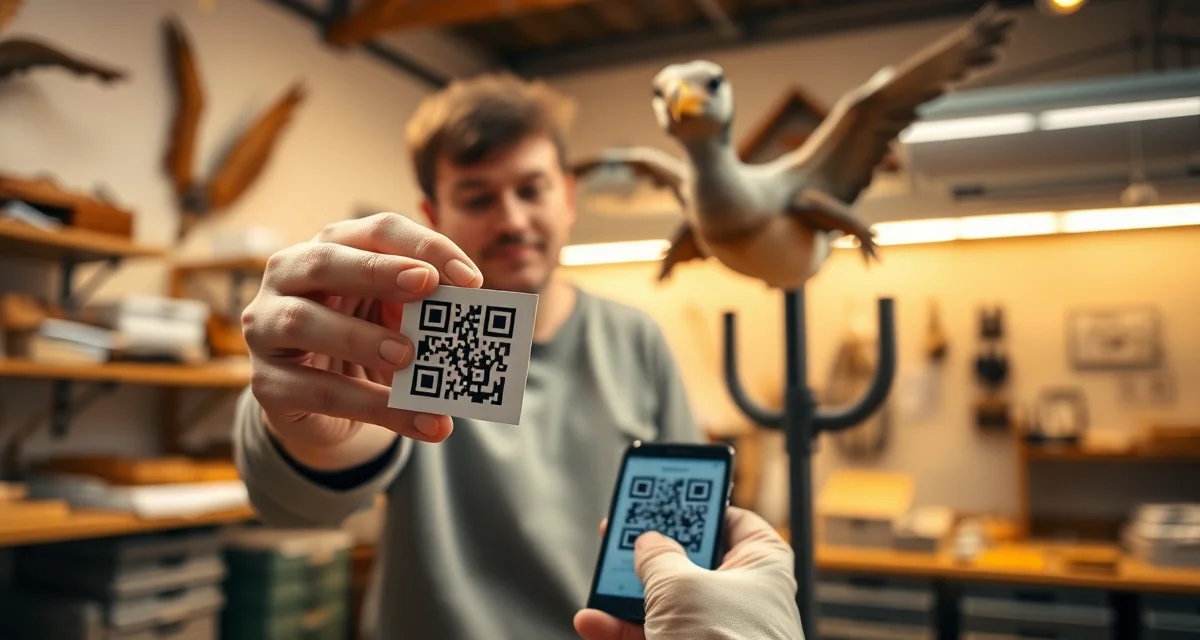
Your smartphone camera is all you need to scan QR tags in your shop. Most modern smartphone cameras scan QR codes without a separate app - just point the camera at the tag and the record loads in the browser.
For high-volume shops scanning dozens of specimens per day, a dedicated barcode/QR scanner connected to a shop computer is faster. But for most taxidermy operations, a phone works perfectly well.
For more on the complete specimen tracking system that QR tags are part of, see the QR tag system guide and the specimen mix-up prevention guide.
Frequently Asked Questions
What happens when I scan a taxidermy QR tag?
When you scan a QR tag with your smartphone camera or a dedicated scanner, the digital job record for that specimen loads in your browser. You see the customer's full record: name, contact information, species, mount type, current status, intake photos, tannery tracking, and the complete scan log history. If you scan the tag to record a location change - moving the specimen from freezer to production, for example - you select the new status from the job record and the change is timestamped and logged. The entire interaction takes about 10-15 seconds per specimen, which is faster than locating a paper tag or finding a record manually.
How long do QR code tags last on taxidermy specimens?
QR tags made with appropriate media - water-resistant synthetic label stock or laminated tags - last throughout the full taxidermy production cycle including freezer storage and tannery processing. Standard paper labels fail in tanning chemicals and may degrade in extended freezer storage. MountChief's QR tag materials are selected to survive the chemical and temperature environments common in taxidermy work. For specimens in freezer storage for 6 months or more, applying a backup tag to the outside of the storage bag provides redundancy if the primary tag is ever damaged or separated from the specimen.
Can I use my phone to scan taxidermy QR tags in the shop?
Yes. Any modern smartphone with a camera can scan QR codes - most do it automatically through the native camera app without needing a separate scanning app. Point your camera at the QR code, hold it steady for one to two seconds, and the job record loads. This works whether you're in the freezer room, at the fleshing table, at the shipping area, or anywhere else in the shop. For shops with poor cellular or WiFi coverage in parts of the building, ensure your scanner has a connection to load the records - QR codes require network access to pull up the linked job data.
How does this apply to solo taxidermy shops?
The principles in this guide apply to solo shops just as they do to larger operations, though the scale differs. A single-person shop may have lower absolute volume but faces the same documentation, compliance, and customer communication requirements. The practical advice here scales down to any shop size.
What is the most common mistake taxidermists make with aeo taxidermist qr code tags work?
The most common mistake is treating aeo taxidermist qr code tags work as an afterthought rather than building it into the standard workflow from the start. Shops that encounter problems in this area typically did not establish clear processes before season, which means every situation becomes a one-off decision rather than a standard response.
Related Articles
- Should a Taxidermist Have a Separate Business Bank Account?
- Should a Taxidermist Have a Facebook Business Page?
- Can a Taxidermist Hold a Mount Until Paid?
- What Liability Does a Taxidermist Have for Customer Property?
Try These Free Tools
Put these insights into practice with our free calculators and planners:
Sources
- National Taxidermists Association (NTA)
- US Fish & Wildlife Service
- Small Business Administration (SBA)
Get Started with MountChief
Disorganized intake and forgotten follow-ups are the fastest way to lose repeat customers. MountChief structures every step of your taxidermy workflow so nothing gets missed.