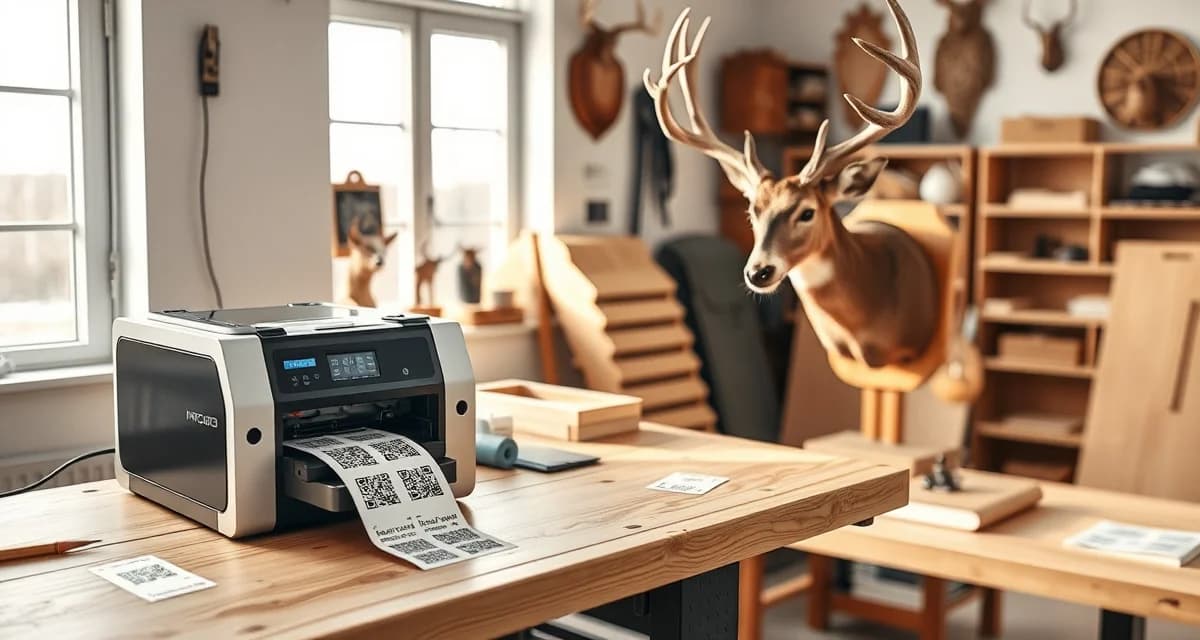
QR Tag Setup Guide for Taxidermy Shops: From Printer to Tagged Specimen
QR tag system setup takes under 4 hours. If you start in the morning, you'll be tagging specimens by afternoon. The technical complexity is lower than most shop owners expect, and the payoff begins the first day you tag a specimen.
First-week QR tag implementation before deer season opens prevents the entire specimen mix-up problem from occurring. Tags go on before any specimens are processed, records are linked from day one, and every downstream workflow benefits automatically.
This guide walks you through printer selection, tag printing, placement by species, and the scan verification workflow that makes the system work.
TL;DR
- Paper tags fail in tannery chemicals within 24-48 hours.
- A dedicated scanner (like the Zebra DS2208) speeds up high-volume scan days during peak intake, but a phone works fine.
- Avoid standard paper label stock for any specimen going to the tannery, paper tags fail in tannery chemicals within 24-48 hours.
- QR tag system setup takes under 4 hours.
- For tannery shipments, the Zebra ZD230 is the right choice.
- Recommended label size: 2" x 1" is sufficient for most QR codes at practical scanning distance.
Step 1: Choose Your Printer
You don't need a specialty printer. You need a label printer that produces durable, scannable tags.
Recommended printers:
Zebra ZD230 ($180-220): The industry standard for thermal label printing. Produces durable tags. No ink required. Compatible with all major label software. This is what most shops that implement QR tagging use.
Brady BMP21-PLUS ($120-150): More portable, useful for tagging specimens at cold storage or away from your main intake station. Good backup printer.
Rollo Thermal Printer ($99): Budget option. Works well for basic QR labels. Less durable output than Zebra in chemical environments.
For tannery shipments, the Zebra ZD230 is the right choice. Tags from thermal printers are significantly more resistant to tannery chemicals than inkjet or laser-printed labels.
Step 2: Choose Your Label Stock
Label stock matters as much as the printer.
Polypropylene labels: Water-resistant and tannery-resistant. These are the correct choice for any specimen going to the tannery.
Standard paper labels: Fine for in-shop tracking only (forms, skulls, fish). Will not survive tannery chemicals.
Recommended label size: 2" x 1" is sufficient for most QR codes at practical scanning distance. If you're attaching to small mammals or fish, 1.5" x 0.75" works.
For any specimen going to the tannery, polypropylene label stock is non-negotiable. Paper tags fail in tannery chemicals within 24-48 hours.
Step 3: Set Up MountChief QR Tag Printing
MountChief generates QR tags directly from the job record. When you complete an intake:
- Finalize the intake form for the specimen
- The system creates a unique job record with a QR code
- Print the QR tag directly from the job record screen
- The tag encodes the job number, species, customer name, and date
No manual data entry on the tag. The QR code links to the full digital record when scanned. The printed tag confirms job number and customer name in human-readable text below the QR code.
For shops not yet using MountChief, you can generate QR codes through free tools like QR Code Generator and print them with your job number and customer name printed below. This is less integrated but functional as a starting point.
Step 4: Tag Placement by Species
Tag placement affects survival through processing. Place tags where they stay attached and accessible.
Deer capes:
Attach the tag through the ear canal using a cable tie or zip tie, or through the nose opening. Ear placement is most common. Do not attach to antler, antlers are removed during processing and the tag will be separated from the cape.
Elk capes:
Same as deer. Ear canal attachment with a zip tie. For especially large capes, use two tags, one on each ear as a backup.
Turkey:
Attach through the leg using a cable tie or poultry band. Leg attachment survives the entire mounting process without movement or detachment.
Fish:
Attach through the jaw (for skin mounts) or through the dorsal fin area using a tag gun. Keep away from areas that will be cut during processing.
Small mammals (fox, coyote, raccoon):
Tag through the ear or through the leg. Avoid attaching to the tail, which is often processed separately.
Skulls and European mounts:
Tag through a nasal cavity opening or attach to the antler base with a cable tie. Once maceration begins, nasal cavity attachment is the most reliable.
Step 5: The Scan Verification Workflow
A QR tag system is only as good as the scanning habit. Build scanning into every specimen transition point.
At intake: Print tag, attach to specimen, scan to confirm record link. This is the most important scan, it verifies the tag printed correctly and links to the right record.
At tannery shipment: Scan each tagged specimen as you pack the shipping box. This creates a departure log with timestamps. Count should match your packing list.
At tannery return: Scan each returning specimen as you unbox. Compare scan count to shipment log. Any missing specimen is identified immediately.
At form mounting: Scan the tag and the form. Confirms you're mounting the right cape on the right form for the right customer.
At completion: Scan to mark the job complete. The system updates the customer portal automatically.
Each scan creates a timestamped log entry in MountChief. The result is a complete chain of custody from intake to completion, useful for compliance documentation and for resolving any dispute about a specimen's location or status.
Step 6: Staff Training
Training for QR scanning takes about 20 minutes. What you're training:
- How to print a tag from the intake screen
- How to attach a tag to each species type
- When to scan (every transition point)
- What to do if a scan fails (re-print the tag from the job record, re-attach)
The most common mistake in the first week: forgetting to scan at transitions. The solution is to make the scanner physically present at every transition point. A scanner at the tannery packing station, a scanner at the receiving area, a scanner at the mounting bench. If the scanner is there, the habit forms.
Common Setup Questions
What if a tag falls off?
Print a replacement from the job record. Re-attach using the same placement guide. Document the re-tag in the job notes.
What if the QR code doesn't scan?
The tag may be damaged or printed at too small a size. Re-print at standard size (2"x1") from the job record. Verify your printer settings before the deer season begins.
Do I need a separate scanner device?
No. The MountChief mobile app scans QR codes using your phone camera. A dedicated scanner (like the Zebra DS2208) speeds up high-volume scan days during peak intake, but a phone works fine.
Related Resources
The QR tag system overview covers how QR tagging fits into MountChief's full tracking workflow. For initial software setup, see the taxidermy shop management software guide.
Frequently Asked Questions
How do I set up QR tags at my taxidermy shop?
Purchase a thermal label printer (Zebra ZD230 is the standard choice), load polypropylene label stock for specimens going to the tannery, and connect to MountChief's QR tag printing function. When you finalize an intake form, print the QR tag from the job record screen. Attach the tag using a cable tie or tag gun at the species-appropriate attachment point (ear canal for deer and elk, leg for turkey, jaw for fish). Scan the tag to confirm it links to the correct job record. From that point, scan at every specimen transition: tannery shipment, tannery return, mounting, and completion. Full setup from printer unboxing to first tagged specimen takes under a half day.
What type of printer do I need for QR specimen tags?
A thermal label printer is the correct choice. Thermal printing is more durable than inkjet or laser in taxidermy environments, especially for tannery shipments. The Zebra ZD230 is the standard recommendation at $180-220. It uses no ink, requires minimal maintenance, and produces tags durable enough to survive tannery chemical exposure when printed on polypropylene label stock. Avoid standard paper label stock for any specimen going to the tannery, paper tags fail in tannery chemicals within 24-48 hours. Polypropylene labels survive tannery processing and remain scannable when the specimen returns.
Where do I place QR tags on different specimen types?
Deer and elk: through the ear canal using a cable tie. Do not attach to antlers, which are removed during cape processing. Turkey: through the leg using a cable tie or poultry band. Fish: through the jaw or dorsal fin area using a tag gun. Small mammals: through the ear or leg. Skulls and European mounts: through a nasal cavity opening or cable-tied to the antler base. The placement principle is consistent: attach where the tag won't be separated during processing and where it can be scanned without removing or repositioning the specimen. Double-tag high-value elk and bear specimens as a backup against tag loss.
How does this apply to solo taxidermy shops?
The principles in this guide apply to solo shops just as they do to larger operations, though the scale differs. A single-person shop may have lower absolute volume but faces the same documentation, compliance, and customer communication requirements. The practical advice here scales down to any shop size.
What is the most common mistake taxidermists make with taxidermy shop qr tag setup guide?
The most common mistake is treating taxidermy shop qr tag setup guide as an afterthought rather than building it into the standard workflow from the start. Shops that encounter problems in this area typically did not establish clear processes before season, which means every situation becomes a one-off decision rather than a standard response.
Related Articles
- What Environmental Regulations Apply to Taxidermy Shops?
- How Many Taxidermy Shops Are in the United States?
Try These Free Tools
Put these insights into practice with our free calculators and planners:
Sources
- National Taxidermists Association (NTA)
- US Fish & Wildlife Service
- Small Business Administration (SBA)
Get Started with MountChief
When every mount has its own timeline, paperwork, and customer expectations, staying organized is half the job. MountChief gives you a single system to manage all of it.